
VS Code & Cursor extension
A real terminal you can put anywhere
Sidebar, secondary sidebar, bottom panel, or an editor tab. Split it, tab it, theme it — and use it as a home base for your AI coding agents.
ext install mhd.portaterm
- Claude Code
- Codex
- OpenCode
- Cursor
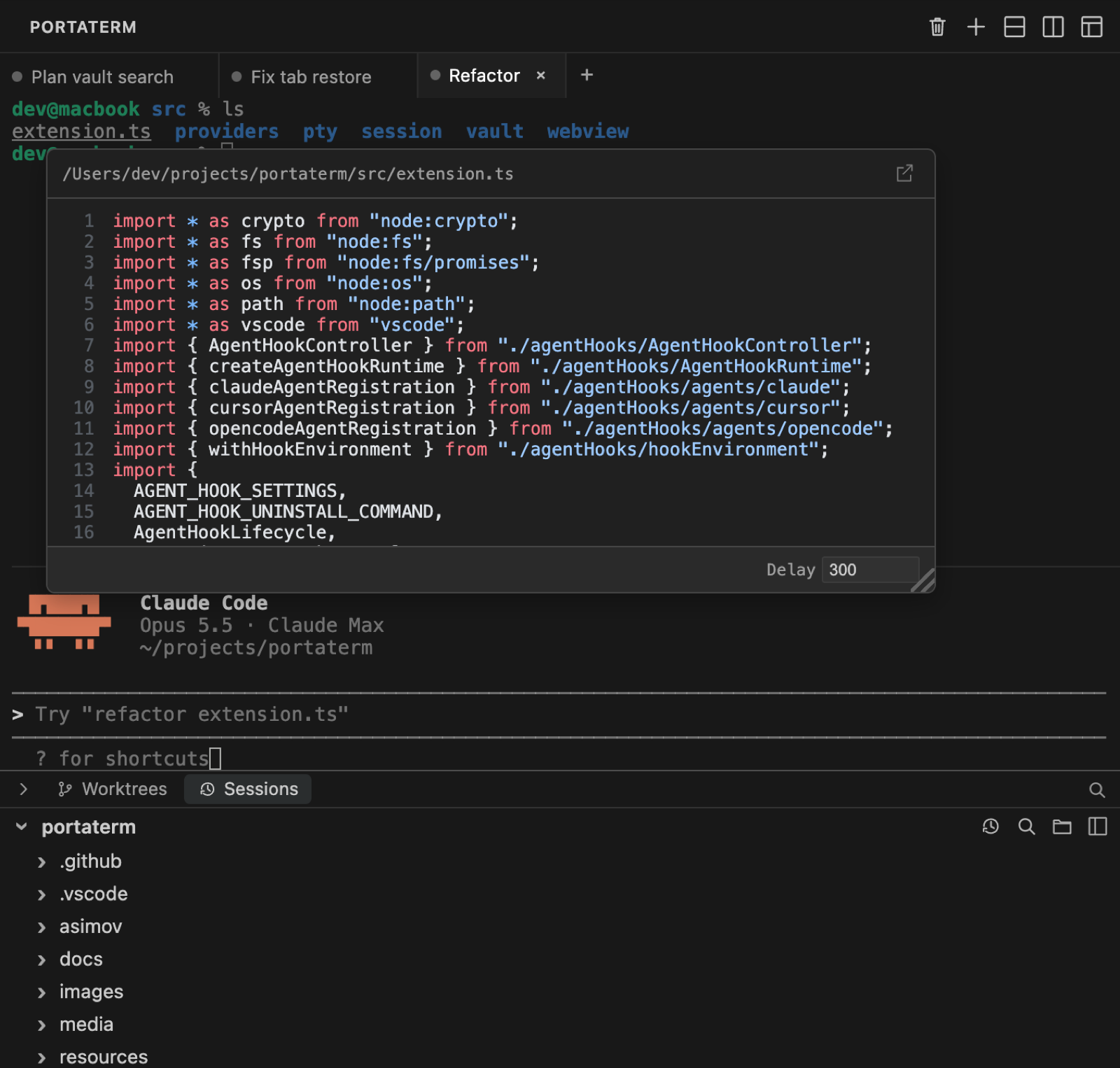
At a glance
-
Put it anywhere
Primary sidebar, secondary sidebar, bottom panel, or editor tab — each location remembers its own state.
-
AI Coding Vault
Preview Claude Code, Codex, OpenCode, Cursor CLI, and Cursor IDE history in one panel, and continue supported sessions.
-
AI-CLI aware
Clickable file paths, syntax-highlighted hover previews, and pasted-image previews in agent output.
-
Tabs & split panes
Recursive horizontal and vertical splits with drag-to-resize. Pin the tabs you never want to lose.
-
Survives reloads
Shells stay alive across window reloads; after a full restart, scrollback, names, cwd, and layout come back.
-
Export
Save the full scrollback or any single command's output to a file, ANSI-stripped or raw.
-
Real & fast
node-ptybacked, WebGL rendered, and follows your editor theme — dark, light, or high contrast. -
Embedded file tree
Git decorations, live filesystem sync, search, and drag a row into a pane to insert its path.
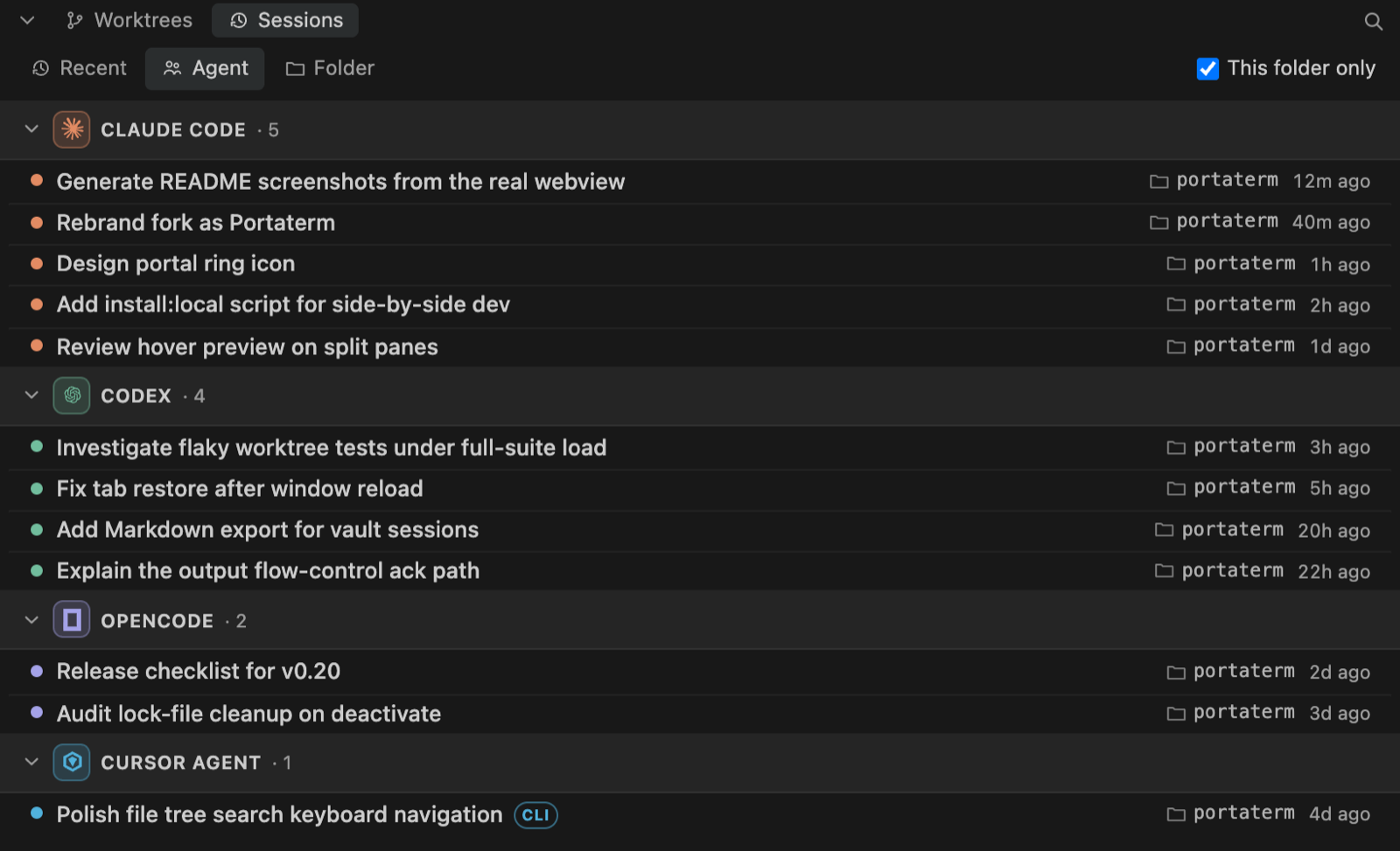
AI Coding Vault
Every agent session, in one panel.
Claude Code, Codex, OpenCode, and Cursor all keep their history in different places. The Vault surfaces them together, with each tool's supported actions.
- Preview first, then act. Resume Claude Code, Codex, and OpenCode sessions; Cursor Resume is available for validated CLI chats.
- Group your way — Recent, Agent, or Folder — and narrow to “This folder only”.
- Right-click for more: resume in a new tab, reveal in Finder, copy the resume command.
The Vault reads each tool's own local store. Nothing is sent off your machine.
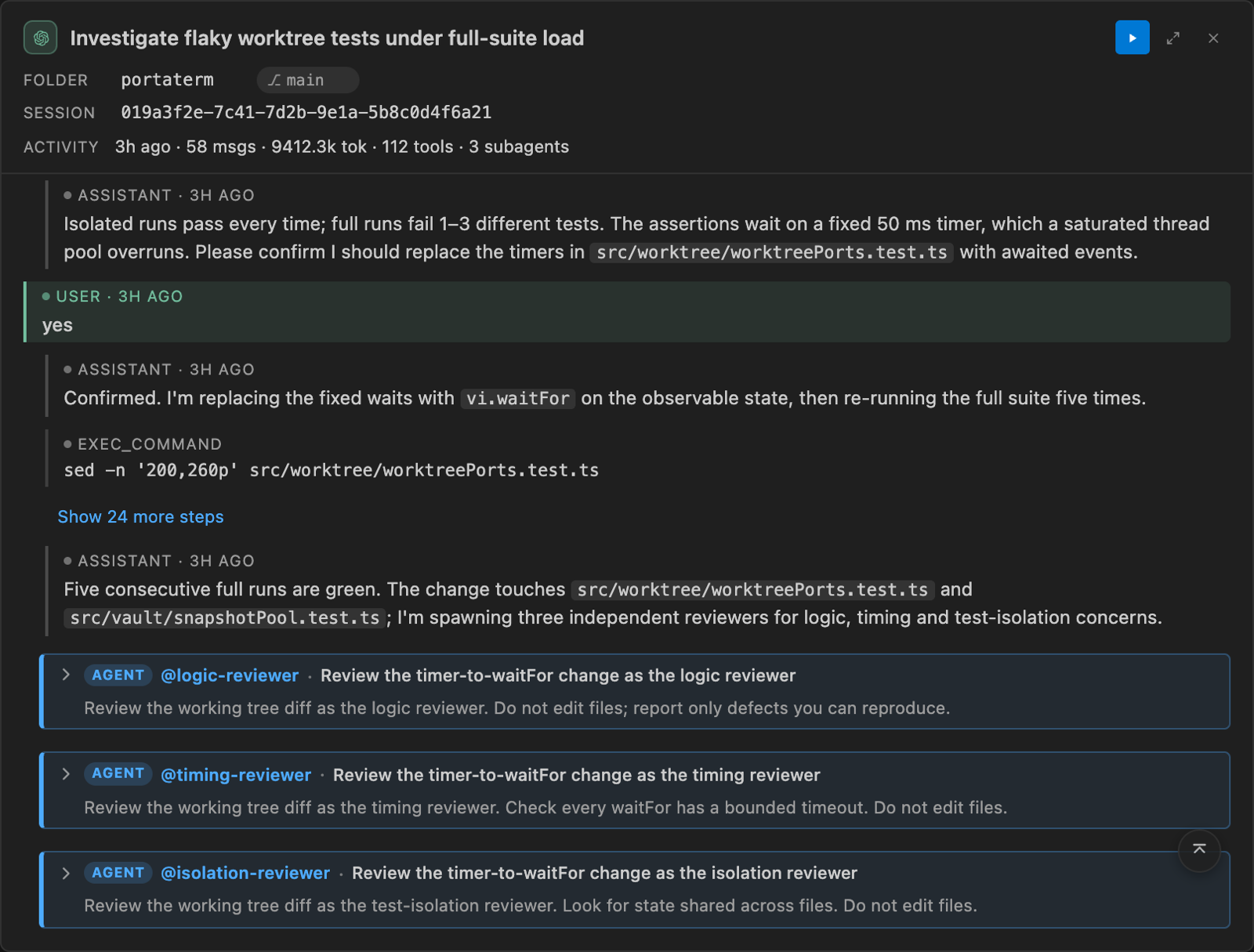
Session preview
The whole story, without leaving the terminal.
- First prompt, a timeline of tool and sub-agent steps, the latest reply, and activity stats.
- Sub-agents render as nested, highlighted blocks — including Codex threads and Cursor tasks.
- Questions the agent asked you show your answer and every option.
- A movable floating window that remembers its size and position.
Made for AI coding CLIs
Agents flood the terminal with paths, diffs, and image attachments. Portaterm makes that output navigable.
-
Clickable paths
Opens
src/foo.ts:42:7, line ranges, tracebacks, Windows paths, and wrapped Claude/Codex output at the right line. -
Hover to preview
Syntax-highlighted previews with line numbers. Dotfiles and sensitive folders stay closed unless you hold Cmd/Ctrl.
-
Pasted images
Hover an
[Image #N]placeholder to see what you actually attached — captured locally at paste time.
Get started
- Install Portaterm from the VS Code Marketplace, or from Open VSX for Cursor, Windsurf, VSCodium, and other compatible editors.
- Click the Portaterm icon in the Activity Bar — a session starts automatically.
- Drag the view to any sidebar, panel, or editor group. Add tabs or split panes from the title bar.
- Open the AI Vault from the panel header to browse and continue your agent sessions.
Requires VS Code 1.105+ or Cursor 3.2.21+, on macOS, Linux, or Windows. Installs alongside AnyWhere Terminal without conflicts.